Your comms. Your ops. Your server.
LynxDock is a self-hosted communication and tactical operations platform for gaming organizations — chat, voice, and a live tactical command board in one deployable unit, running on hardware your community owns.
A live tactical operations center.
Zones, unit nodes, routes, objectives, orders, and readiness — synchronized in real time across every connected member. Fleet admirals run the op from the board; wings see orders as they're issued.
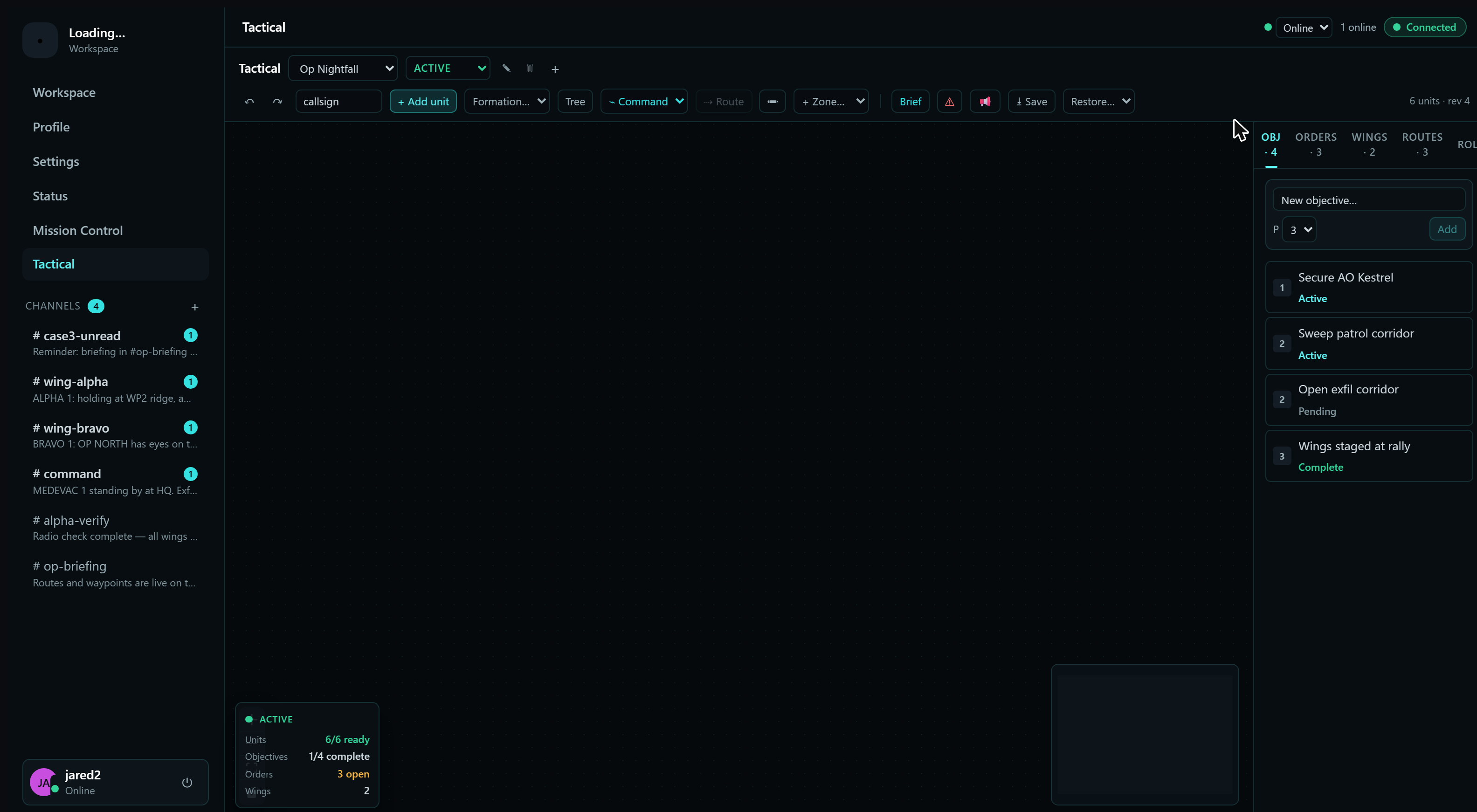
A staged operation on the live board: a command tree over two wings, rally / danger / attack / exfil zones, and three operation routes — assault, recon, and medical — each with its own symbology.
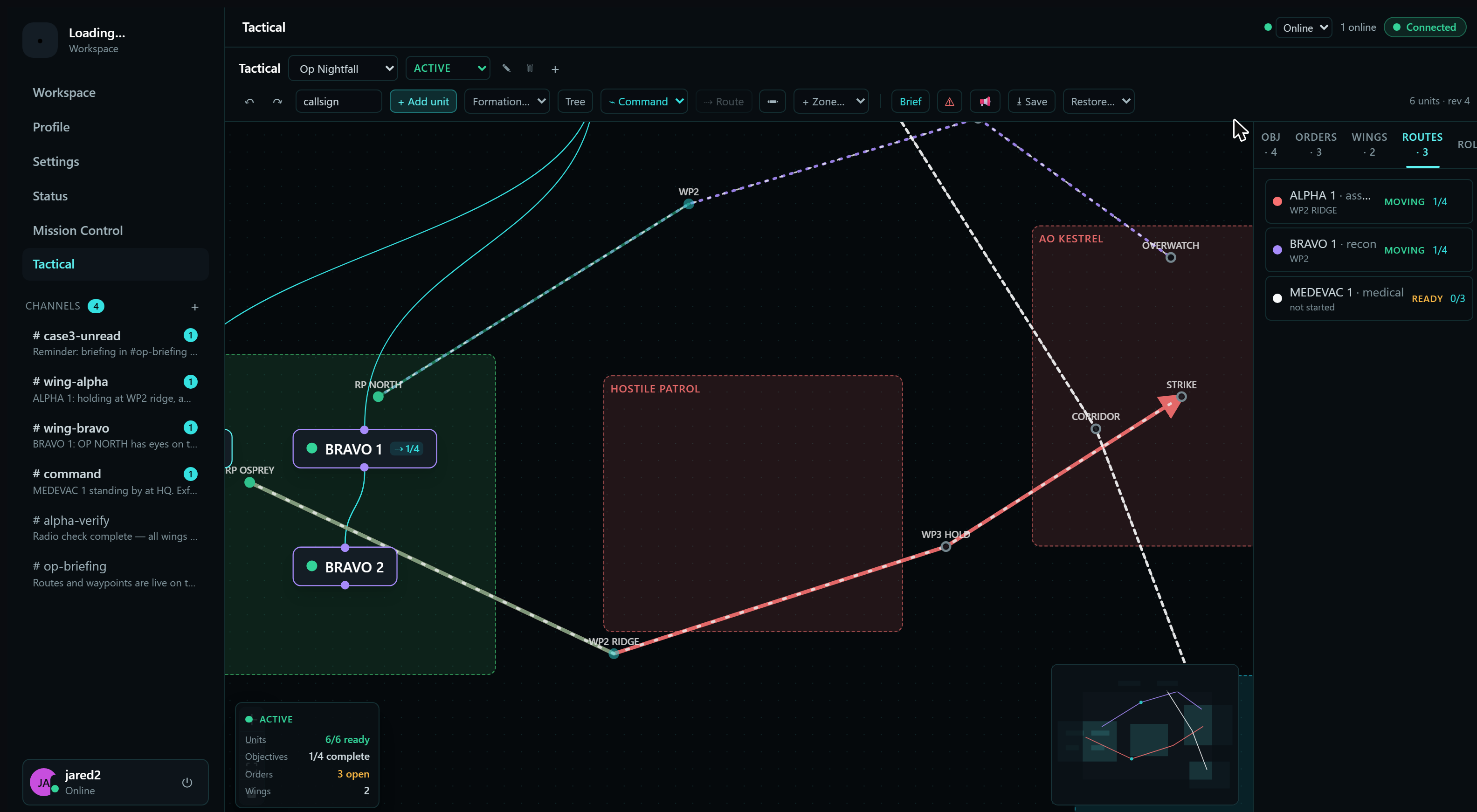
Routes up close: named waypoints with types and statuses, waypoint-by-waypoint progress, and the commander's rollup tracking every route on the board.
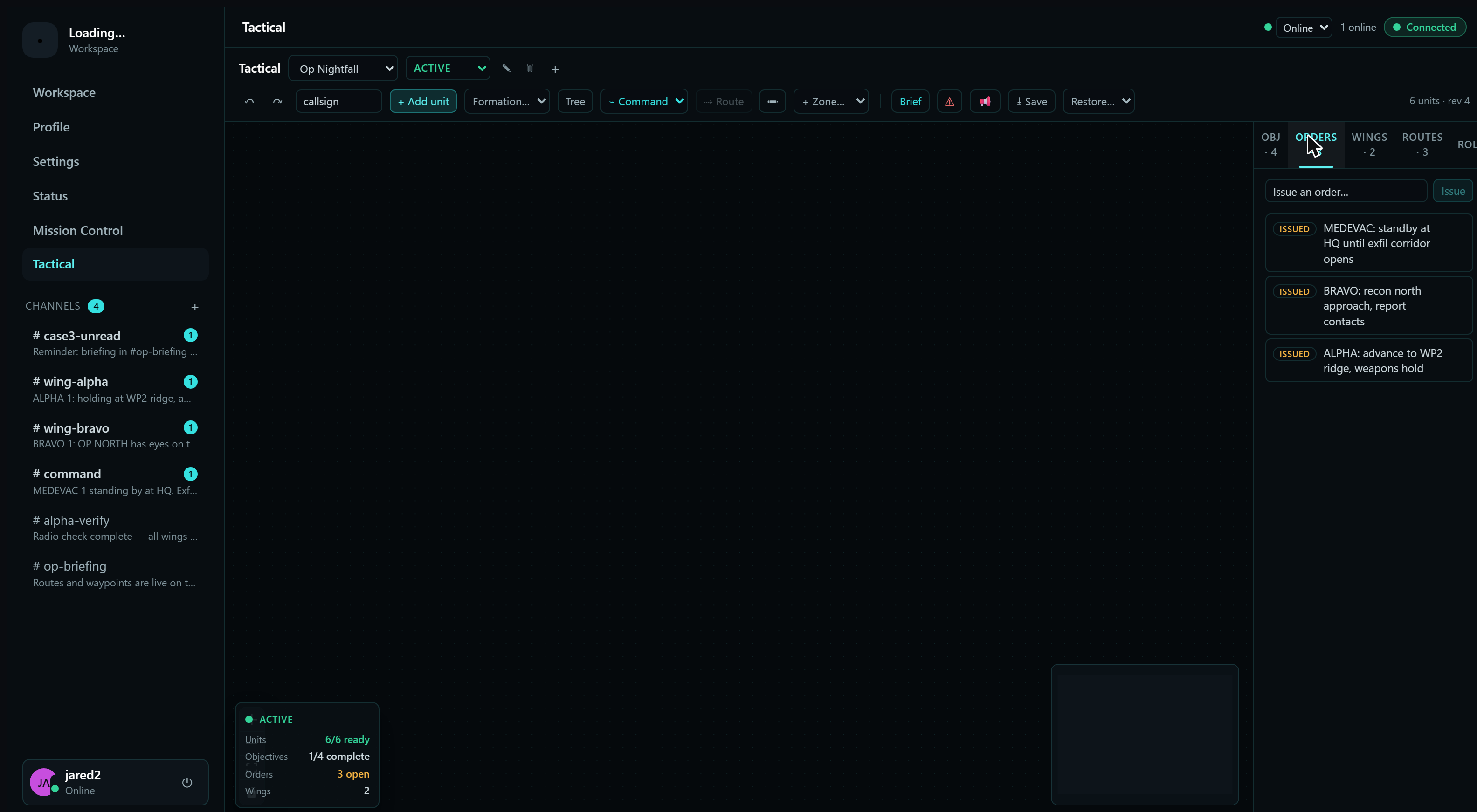
Orders are issued from the board and land beside the picture they describe — objectives, wings, and routes each get their own panel on the same surface.
Briefings, wing channels, and comms discipline.
Channels, multi-party voice, and presence with your command structure visible at a glance — in the same app as the tactical board.
One process. One file. Your hardware.
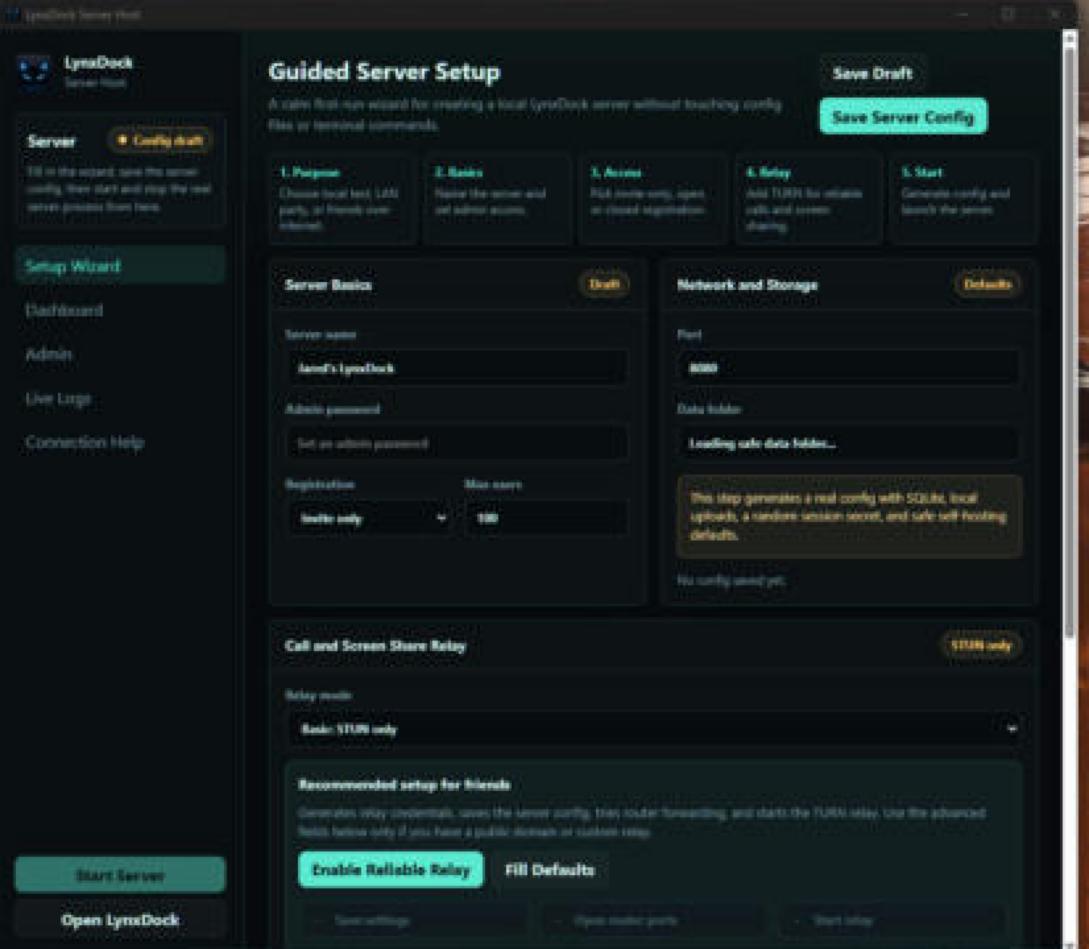
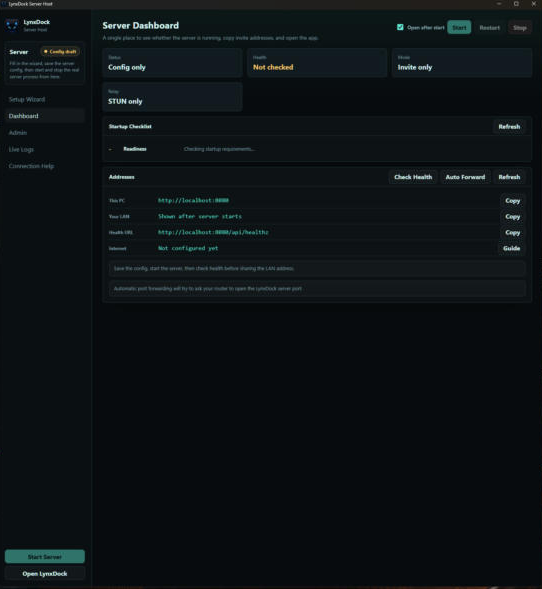
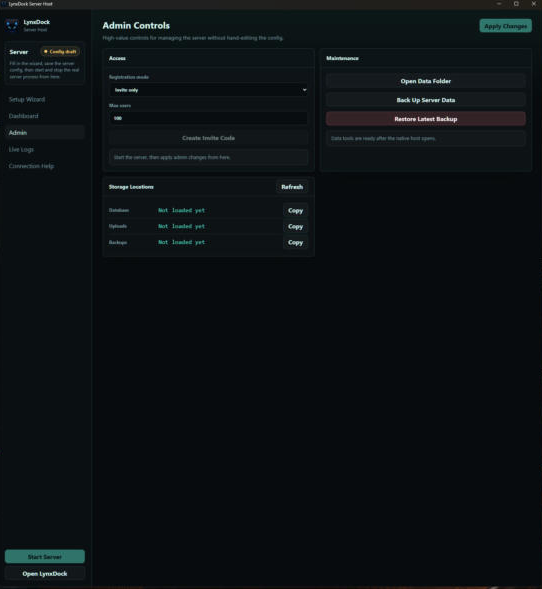
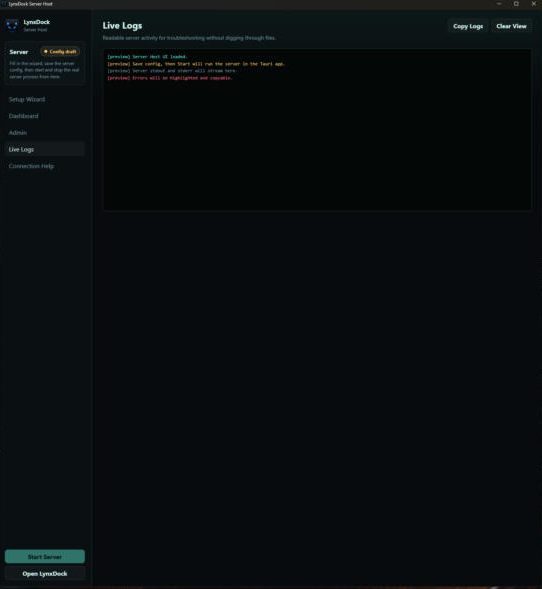
The Server Host is a dedicated owner console. A calm first-run wizard creates your server without config files or terminal commands, then an Overview command center gives you a health verdict, a readiness score, and one-click fixes. Manage members, roles, channels, invites, backups, and voice; check reachability with a real round-trip proof; and read plain-language connection help — for local testing, LAN parties, or friends over the internet.
One staged operation, every V5 surface.
A convoy escort and recovery run on an isolated demo server: the tactical board, orders and routes, participation and readiness, the personal dock, missions, logistics, comms, the Verse Catalog and the in-game overlay — as the qualified build actually renders them.
Staged demonstrationEvery screenshot below is the real desktop application, captured from the qualified V5 build against an isolated demo server. The organisation, members, messages and positions are staged demonstration data — nothing here is live game telemetry, and no real community's data appears.
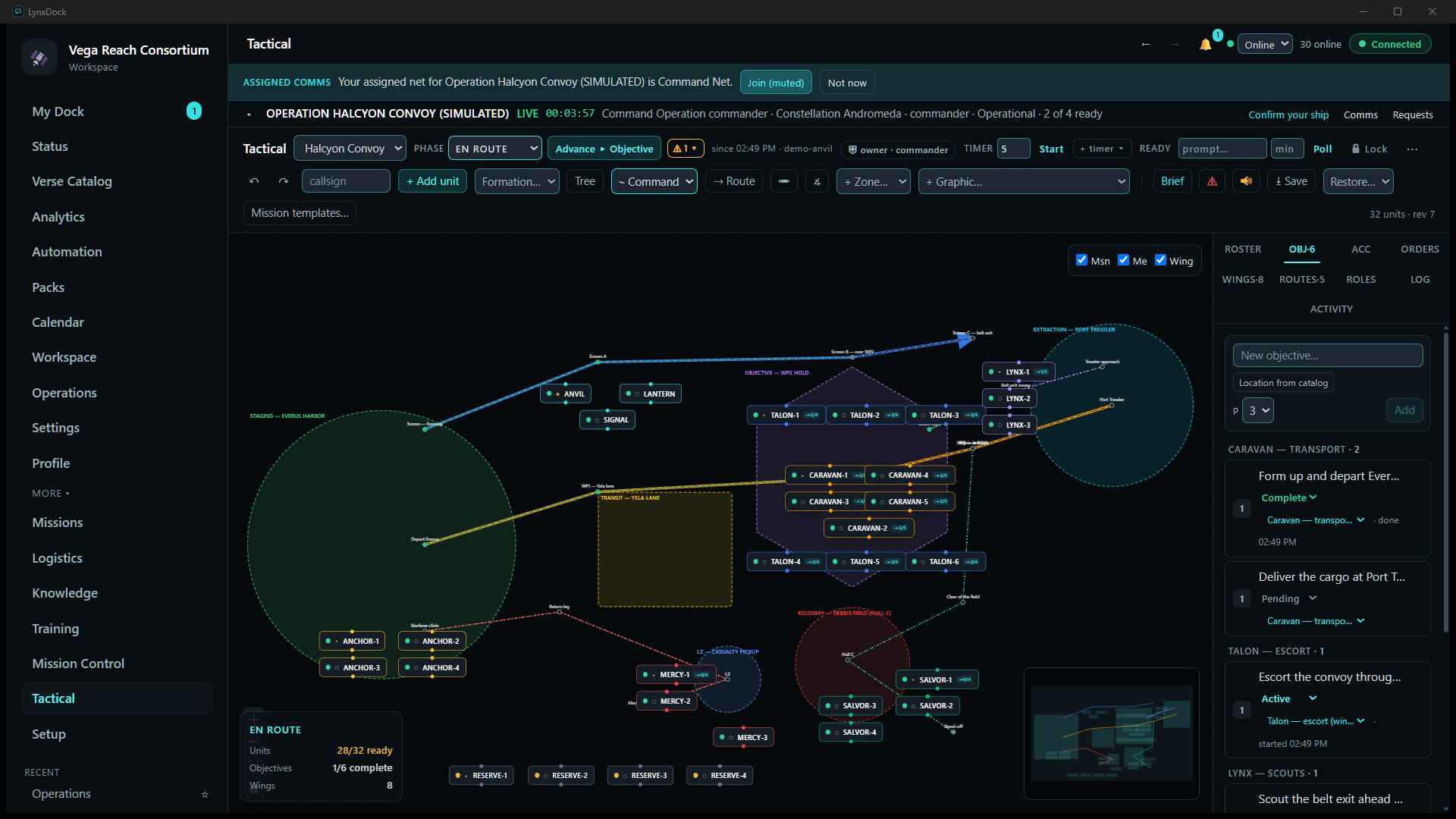
The whole operation on one board
Operation Halcyon Convoy live, staged on the demo server: staging → transit → objective → extraction laid out left to right, recovery and the casualty LZ below, one colour per wing, five routes with waypoint progress and the summary card (28/32 ready · 1/6 objectives complete · 8 wings). Positions are placed by hand — LynxDock does not read the game.
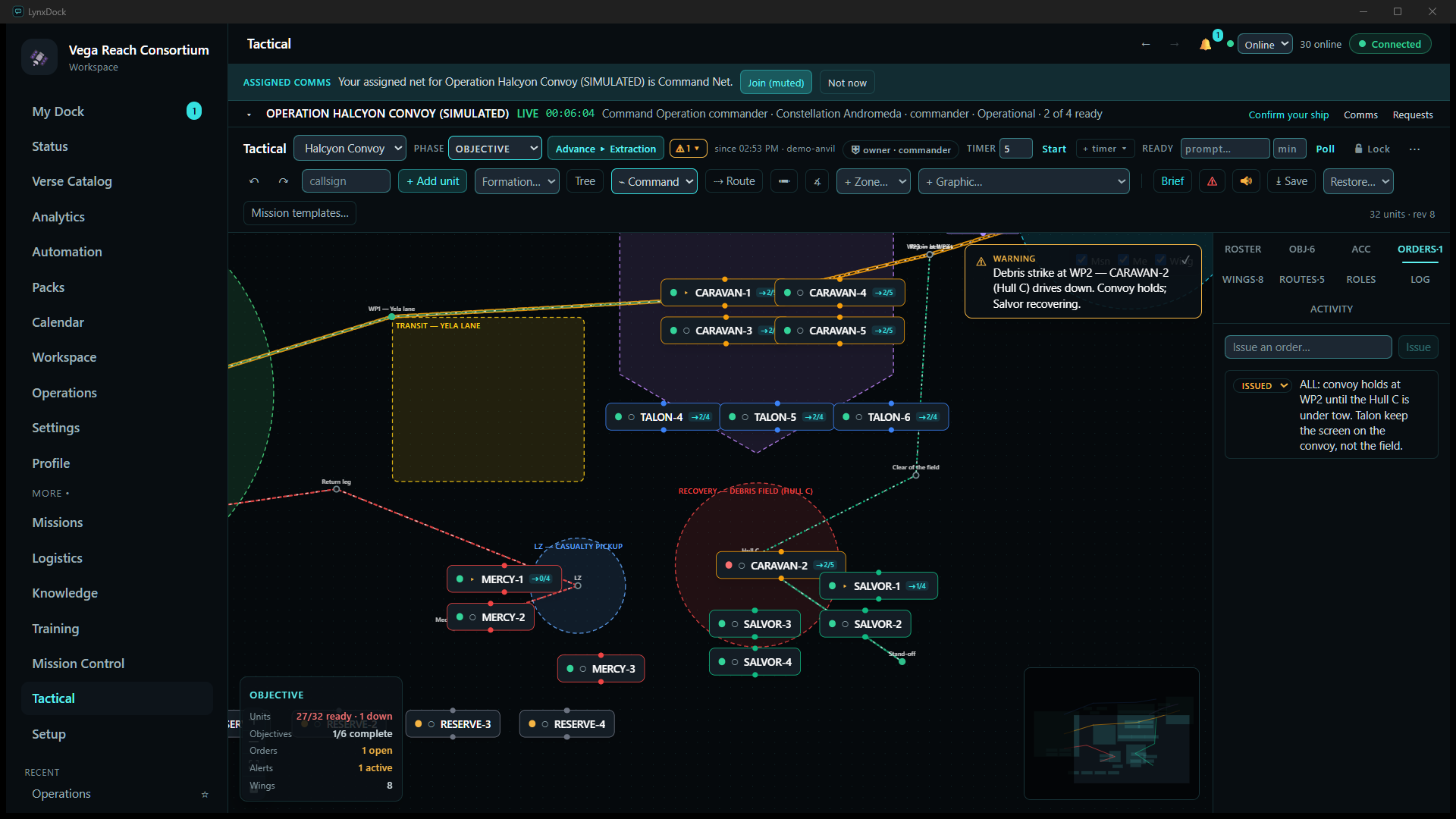
Alerts and orders beside the picture they describe
A debris strike at WP2: the alert card, CARAVAN-2 down in the debris field with SALVOR-1 alongside, Mercy at the LZ, and the hold order in the Orders panel — zoomed with the mouse wheel, as any member would.
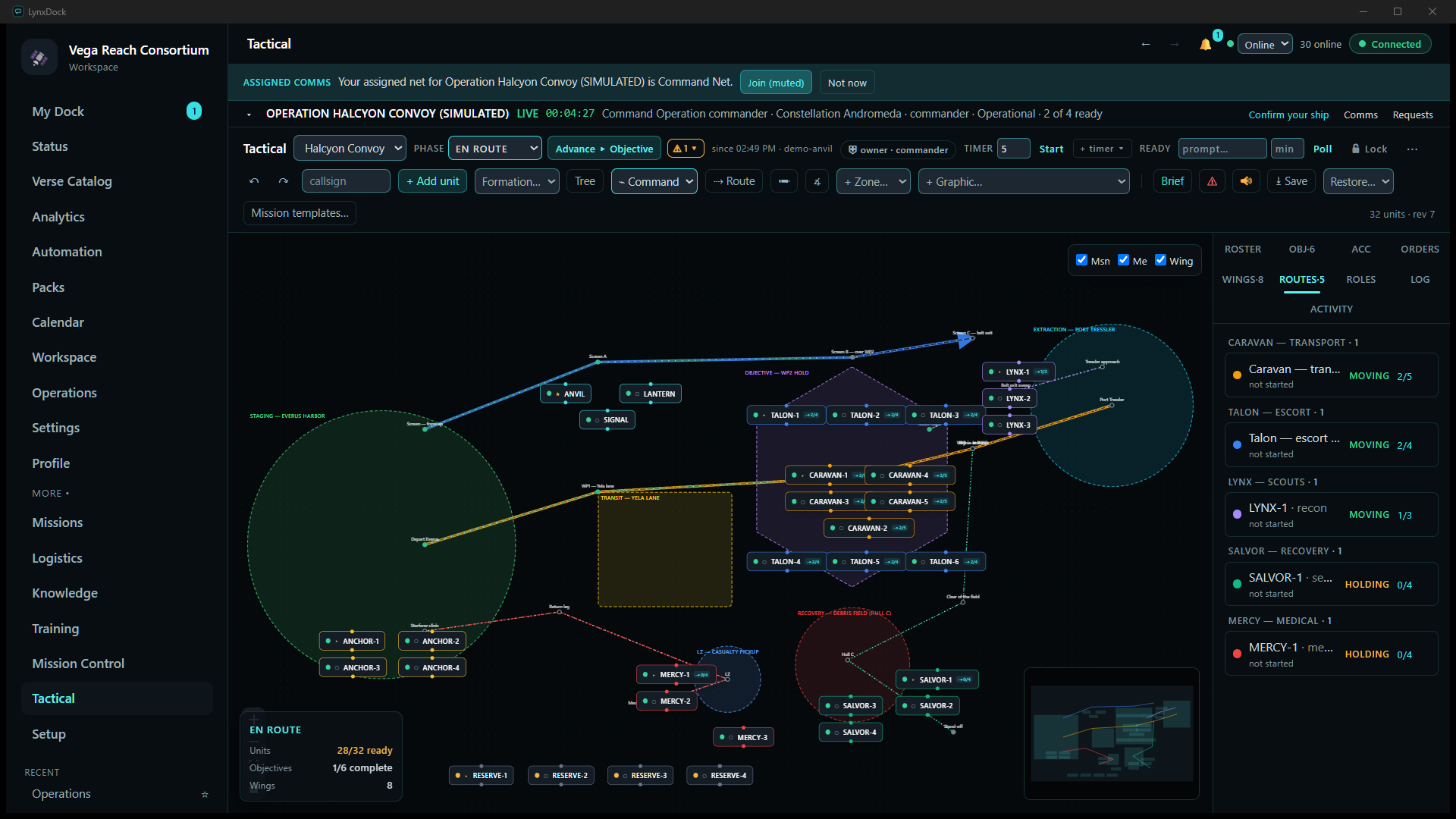
Routes with waypoint progress
Supply, escort, recon, search and medical routes, each assigned to a unit or a whole wing, with named waypoints, a status and a per-route progress counter; the contingency routes hold until they are needed.
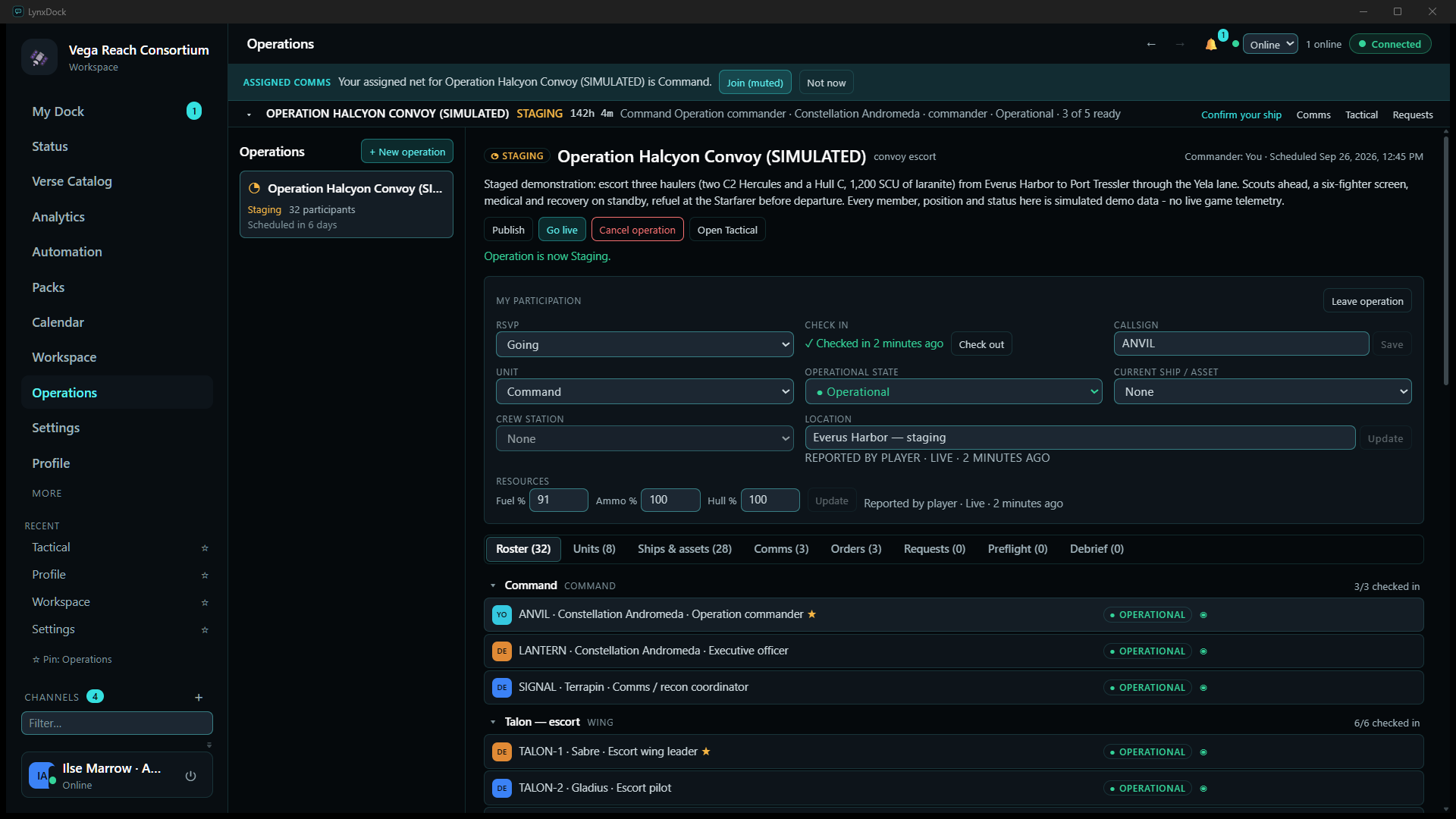
Operations — participation and readiness
Each member's check-in, unit, crew station, ship and resource state, reported from their own client, and the roster grouped by wing with per-member operational status — the source the board, the dock and the overlay all read from.
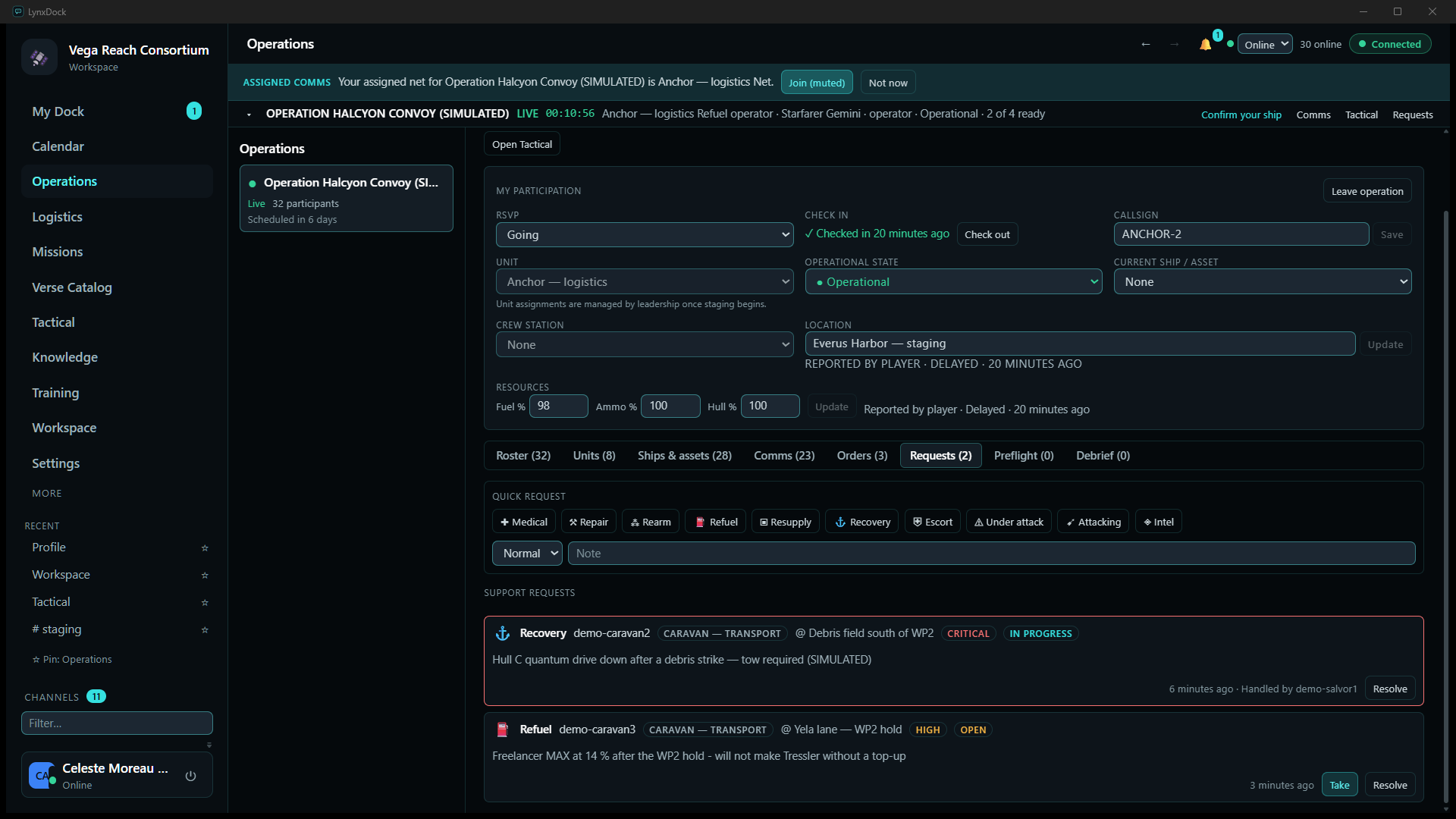
Support requests
A hauler at 14 % fuel raises a refuel request; the logistics operator sees it beside the recovery already in progress and takes it. The full incident, from request to the logistics ledger, is walked through in the guide.
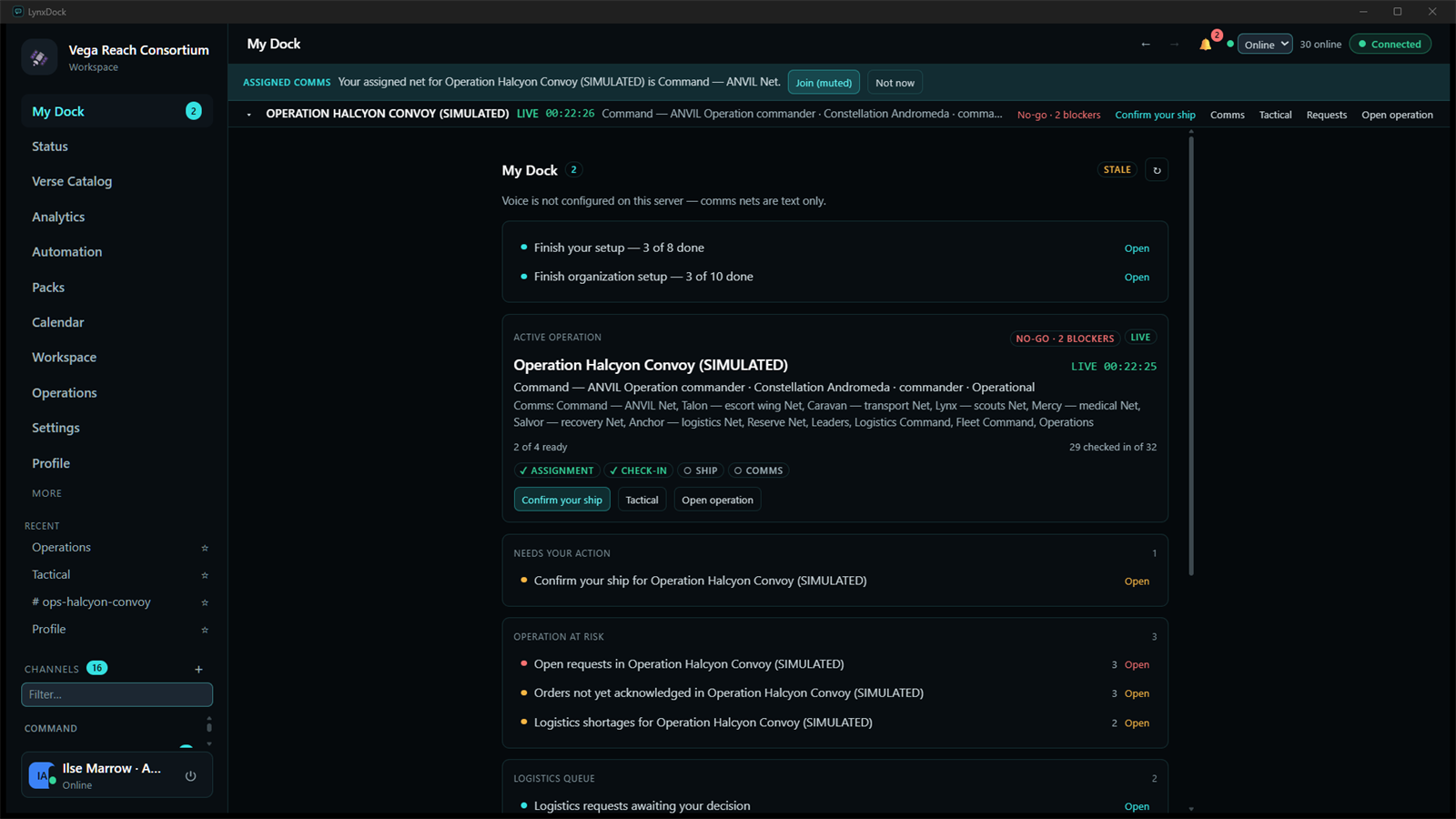
My Dock — what needs you, right now
The personal queue: readiness steps for the active operation (assignment, check-in, ship, comms), items that need your action, what puts the operation at risk, and logistics requests waiting on your decision.
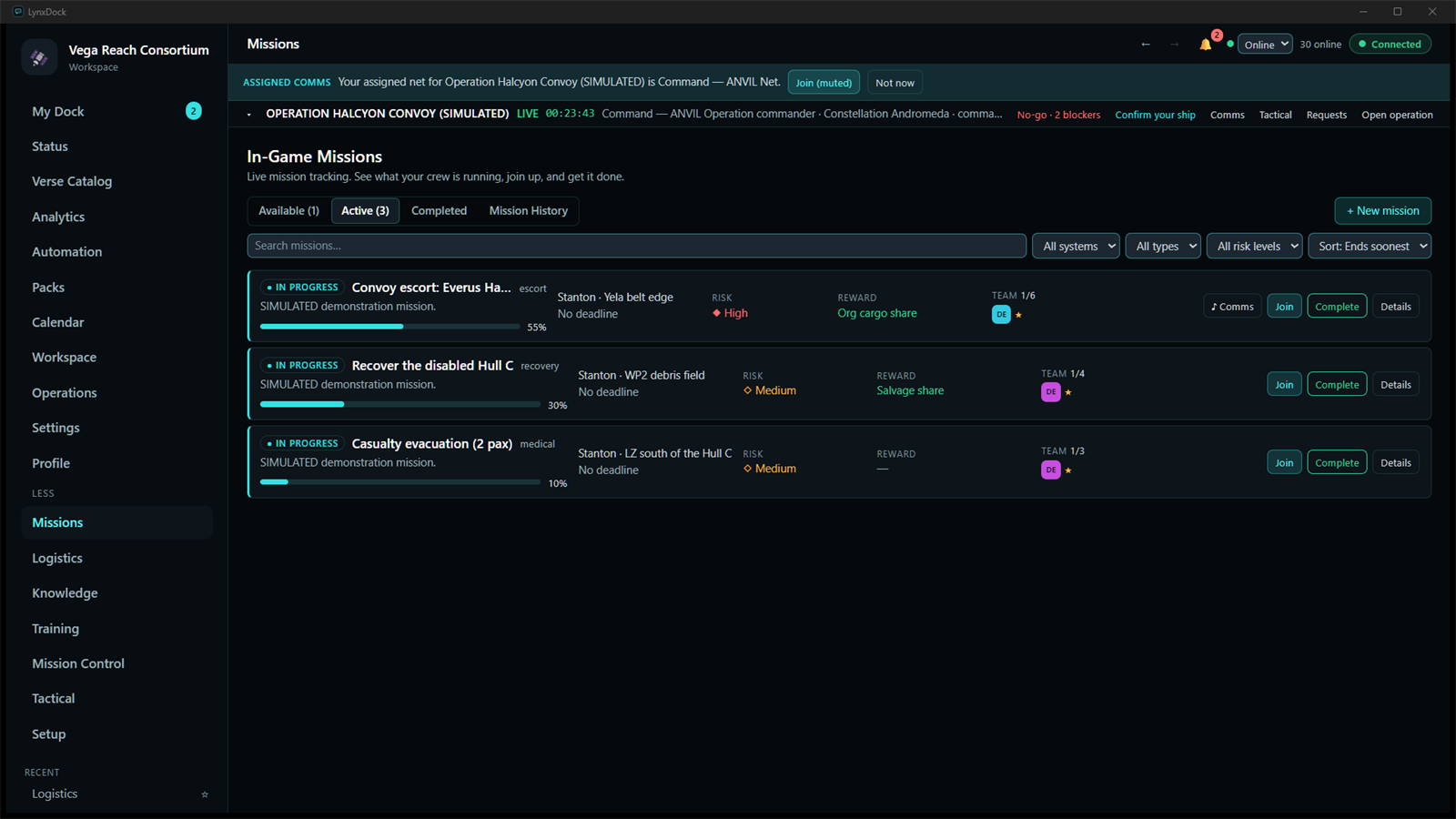
Missions
Missions inside the operation — escort, recovery and casualty evacuation — with progress, location, risk, reward and team slots. Every state change here is a guarded, idempotent action.
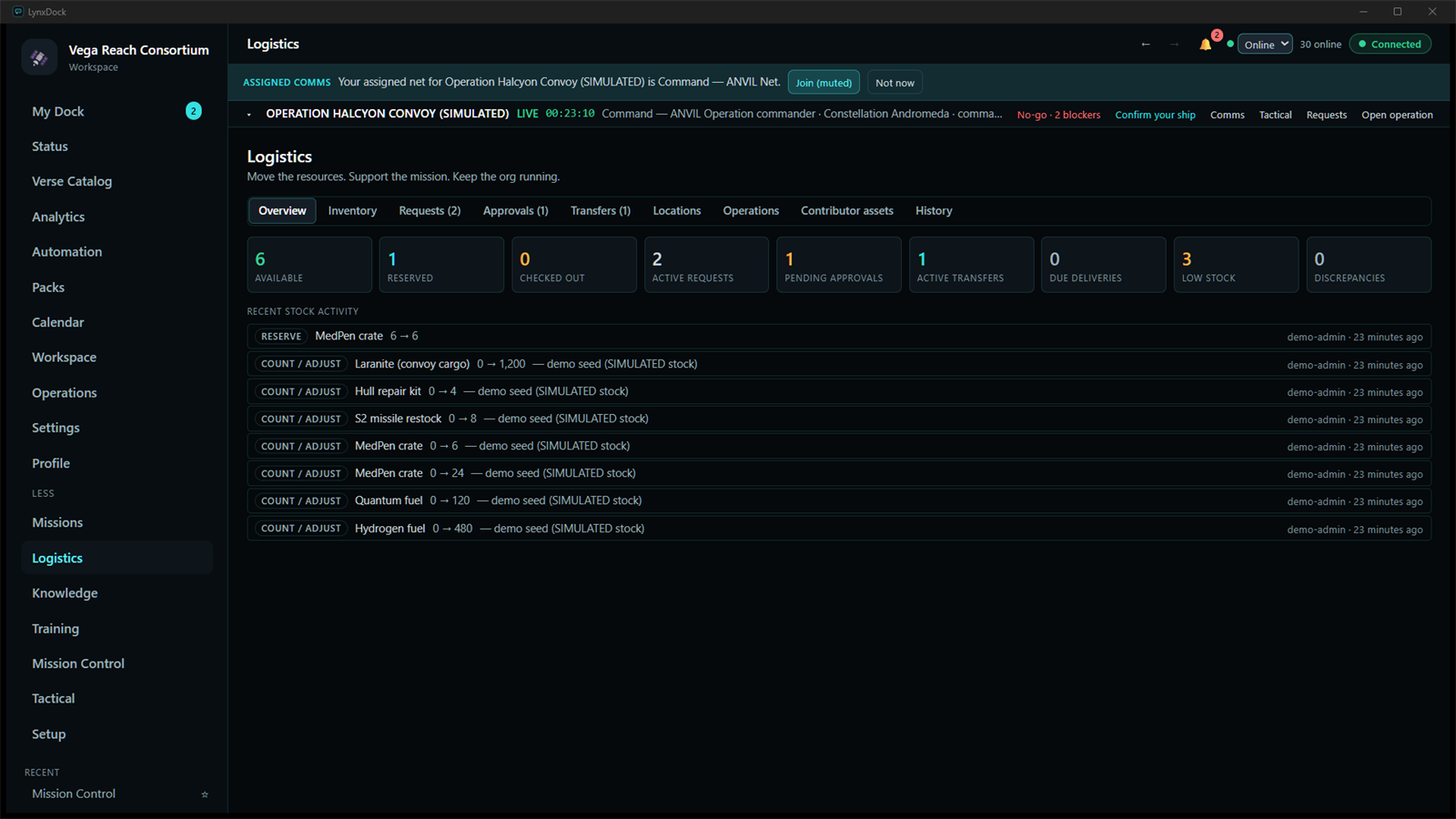
Logistics
Stock by location, requirements for the operation, a resupply request approved and reserved against a carrier, and a transfer in transit — with the audit trail of every adjustment.
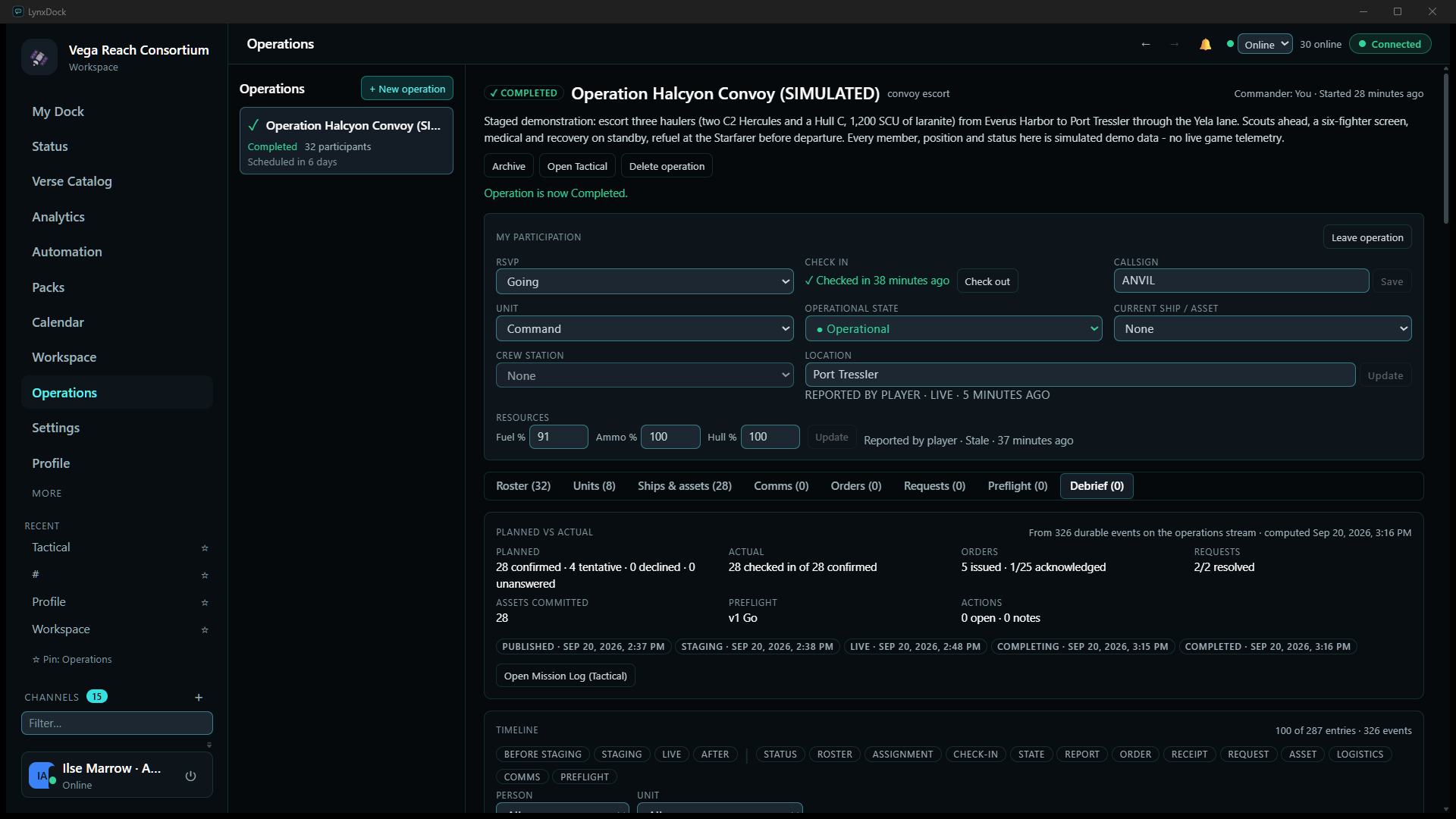
Debrief, computed from what actually happened
After Complete: planned vs actual, the lifecycle with timestamps, and a timeline of every durable event — check-ins, orders and receipts, requests, logistics — filterable by stage, kind, person and unit, with notes, lessons and actions written underneath.
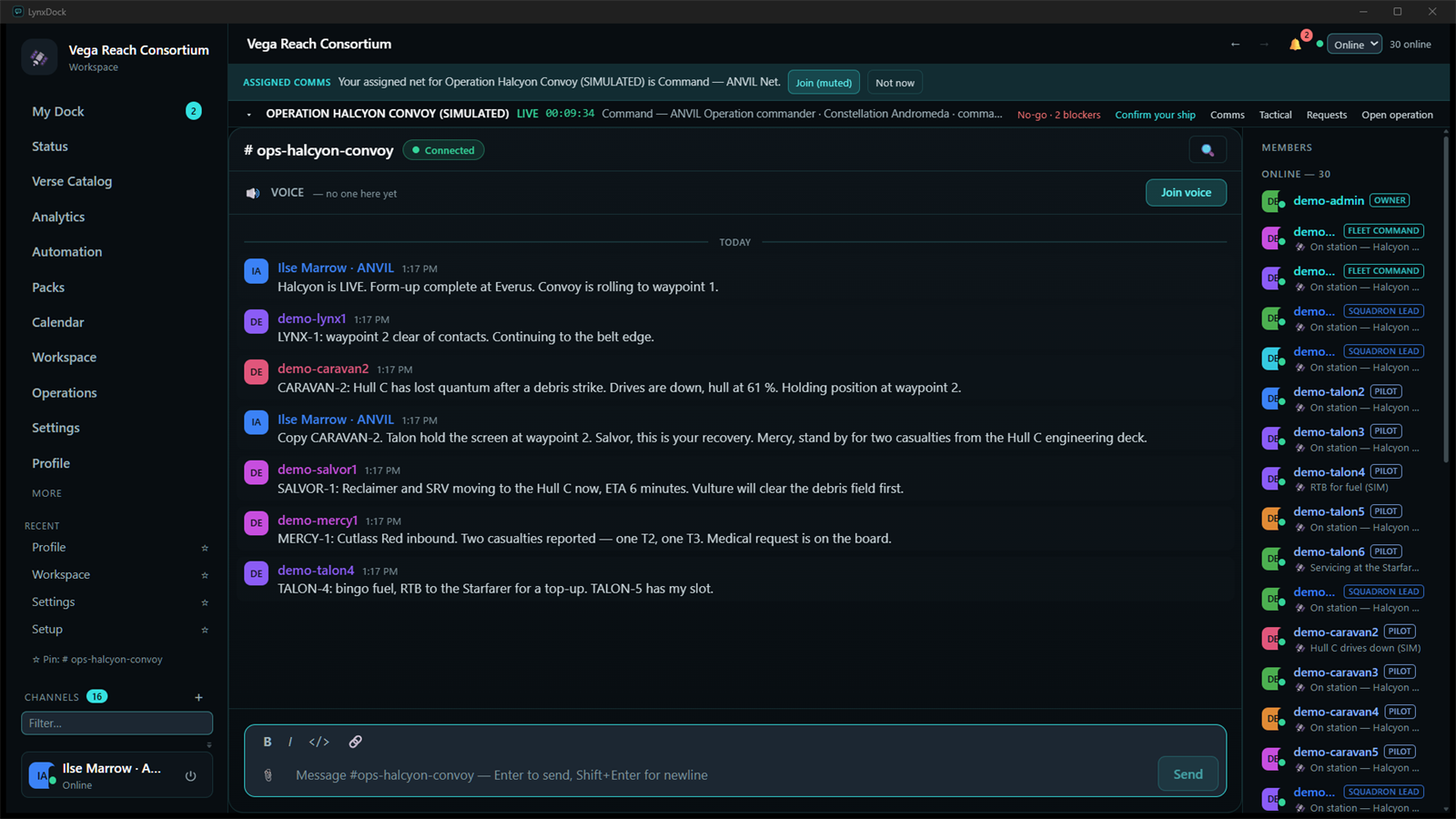
Comms with the command structure visible
The mission room for the operation: the staged conversation, the assigned-comms banner, and 30 simulated members online with their roles and statuses in the sidebar.
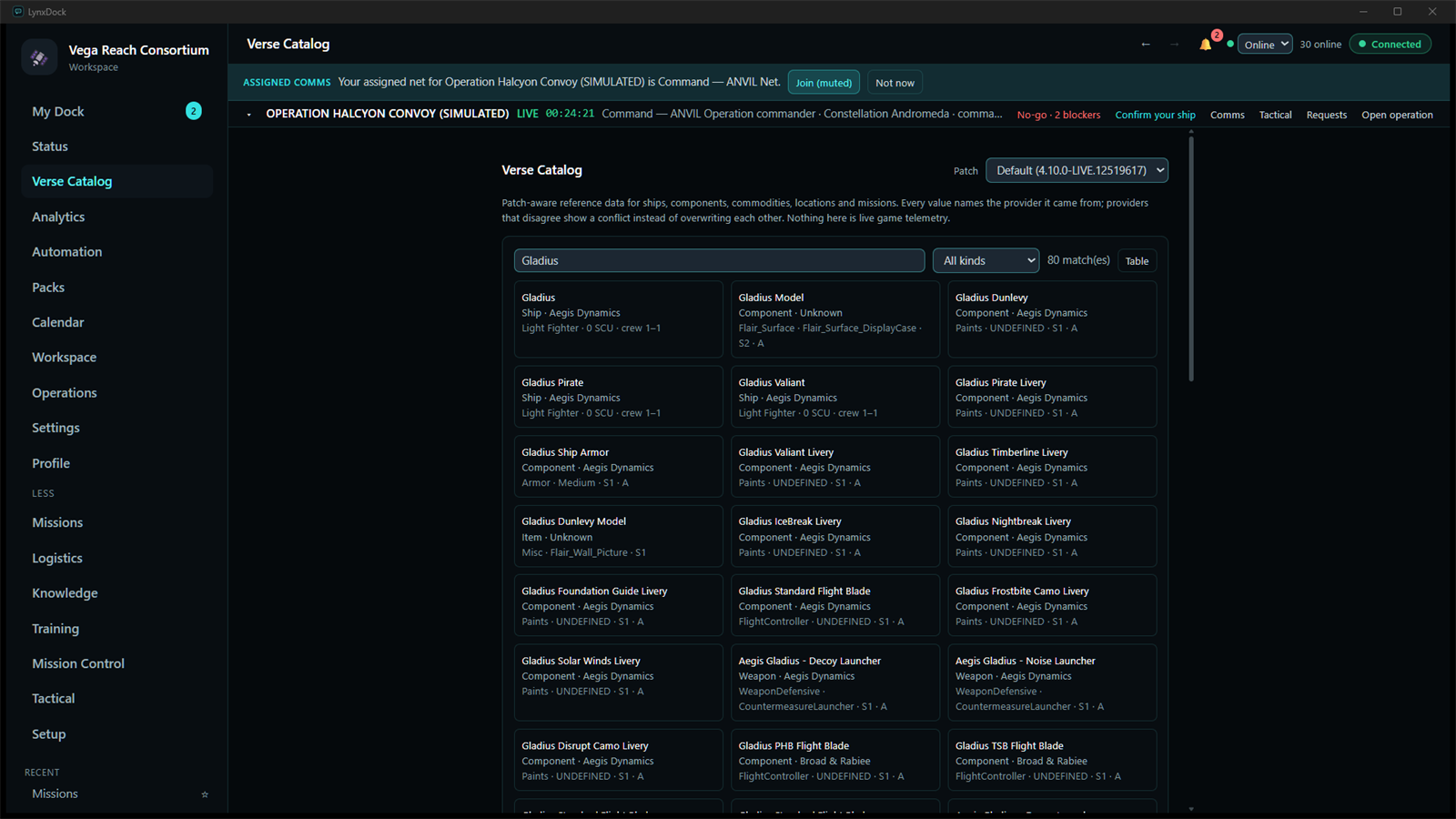
Verse Catalog
Patch-aware reference data — ships, components, commodities, locations, missions — imported into the demo server from the Star Citizen Wiki API (CC BY-SA 4.0): 17,029 entities for patch 4.10.0-LIVE. Every value names the provider it came from; search answers in a few milliseconds.

In-game overlay — Compact
The second, click-through window: the live operation, open requests, the current primary action and up to eight numbered quick actions, drawn over a windowed or borderless game. Captured from the overlay window itself.

In-game overlay — Micro
The same overlay in its one-line layout for pilots who want only the primary action in view.
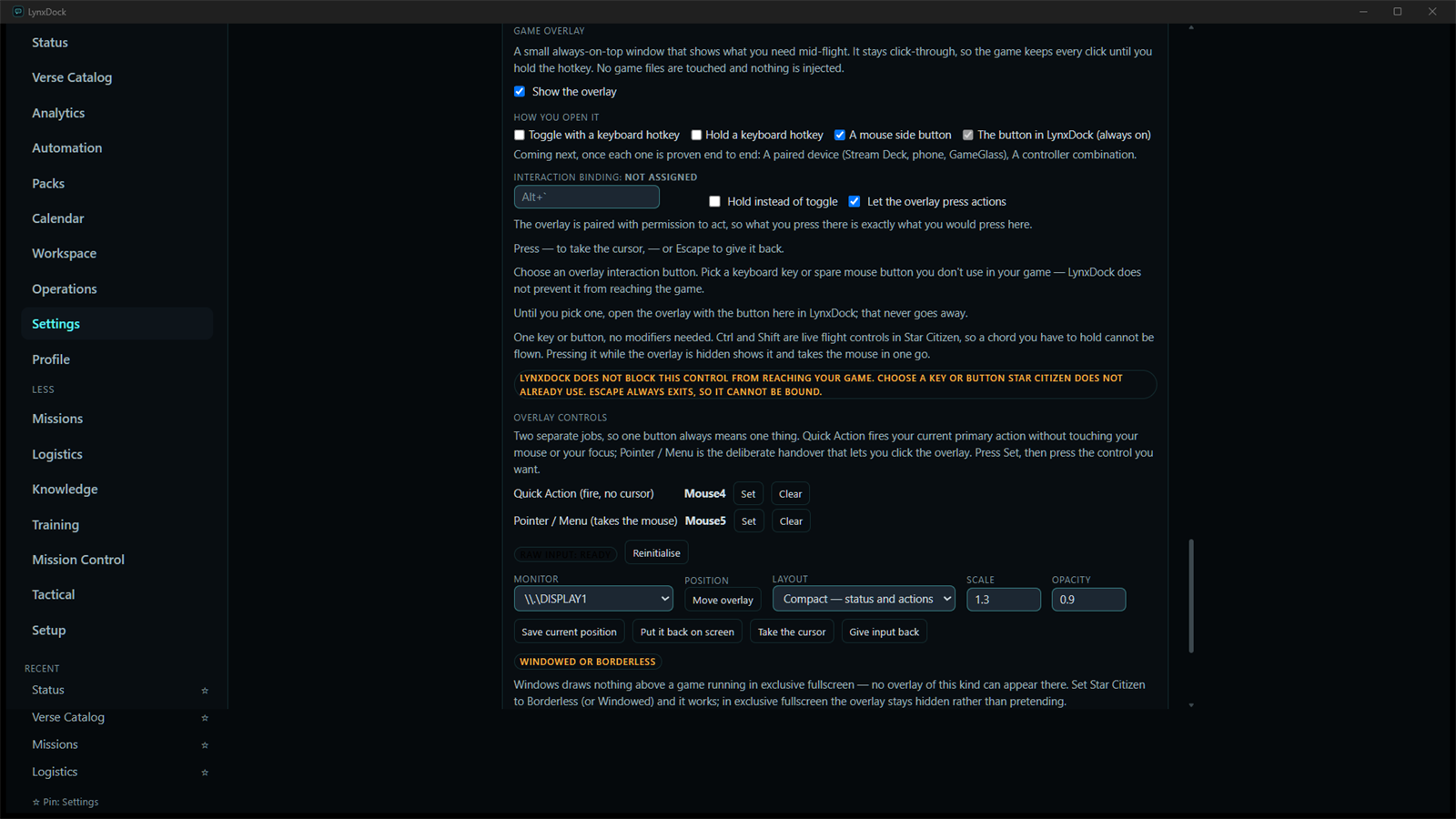
Overlay controls
How you open it, the interaction binding, the two separate controls (Quick Action fires without taking the mouse; Pointer / Menu hands the cursor over deliberately), per-monitor placement, layout, scale and opacity — and the honest note that exclusive fullscreen cannot show an overlay of this kind.
A real application, under active construction.
Infrastructure is complete and the desktop app is taking shape. Here's what runs today — and the framework the rest is built on.
Pushed the local messaging slice — edit + search work now.
you · 2h · edited
Unread counts and day separators are in.
you · 1h
Next up: reactions and mentions.
you · just now
Chat, voice, presence, a live tactical board — and now an in-game overlay.
The desktop app runs against a real self-hosted server: synced channels with replies and search, multi-party voice, live presence with custom status, and Squadron Control — a tactical operations board with routes, orders, and replay, consistent across every connected member. The V5 line adds the Verse Catalog, canonical quick actions, a local control-surface bridge, and a Windows in-game overlay — engineering closure complete and cleared for a closed beta on 2026-09-20. All of it is verified end to end as it lands.
Squadron Control
A live tactical board: units, wings, routes with waypoints, zones, objectives, orders, alerts, replay, and undo — synced to every client.
Messaging
Server-synced channels with replies, reactions, rich formatting, search, and an offline outbox that delivers exactly once on reconnect.
Voice
Voice rooms with mute/deafen, device selection, and screen sharing over a self-hosted media plane — with NAT traversal handled for you, no LiveKit or TURN setup required.
Roles & channels
Server-wide roles with capability tokens, custom colors and ordering, multiple roles per member, and first-class text/voice/tactical channels grouped into categories.
Settings
A 20-category, searchable settings system — server-persisted per account, privacy-first defaults, Basic and Advanced modes.
Genesis UI
LynxDock's own component framework: design tokens, a theme engine, and a Tailwind preset.
Rust core
A protocol-first Rust server and Tauri desktop shell; TypeScript types are generated from the Rust protocol so client and server can't drift.
Server Host
A dedicated owner console: guided setup, an Overview command center, members, roles, channels, invites, backups, connectivity, and diagnostics — self-hosting without config files.
In-game overlay
A Windows overlay that stays click-through while passive so the game keeps your keyboard and mouse. Micro and Compact decks, a Quick Action control, a Pointer / Menu control, Escape to hand input back — no game injection, borderless or windowed.
Verse Catalog
A patch-aware Star Citizen reference catalog — ships, vehicles, locations, commodities, missions — with provenance, search, compare, and a coverage dashboard that never claims more than it has.
Canonical actions
Quick actions derived on the server from canonical state, role, and revision. A repeated press replays instead of applying twice; a stale press is refused with a reason. One action registry for the app, the overlay, and paired devices.
Tested seriously
Reconnect, offline replay, multi-client convergence, undo, and permissions covered by automated tests and live multi-account verification — and the V5 overlay qualified live on Star Citizen before its closed beta.
Studio
GSpec Studio validates a specification entirely in the browser using the shared core.
Communication you actually own.
The constraints we design LynxDock around — the reason it feels different to run.
Own your data
Local-first today, self-hostable tomorrow. Your accounts, messages, and files stay with infrastructure you control.
Performance matters
A Rust core and a lightweight desktop shell. Fast to launch, calm to use, light on resources.
Open architecture
Spec-driven and generated end to end. Wire types come from Rust; the site comes from the spec.
Privacy by default
No ads, no tracking, no telemetry required. Restraint is a feature.
Spec-driven, polyglot, generated end to end.
A versioned specification feeds the infrastructure layer, which supports one product monorepo spanning Rust and TypeScript.
- GSpecshipped
The Genesis Specification — one versioned source of truth in YAML + JSON Schema.
- Bootstrapshipped
The compiler: parse → validate → IR → generate ecosystem artifacts.
- Release Toolsshipped
Turns a GitHub release into a signed releases manifest.
- Websiteshipped
This static site, consuming generated data.
- sharedshipped
Base types, helpers, logging, config, errors.
- protocolshipped
Canonical wire types, generated Rust ↔ TypeScript via ts-rs.
- genesis-uishipped
The component framework: tokens, theme engine, Tailwind preset.
- desktopshipped
Tauri app: workspace, identity, settings, local messaging.
- studioshipped
GSpec Studio — in-browser spec validation.
- pluginsshipped
Plugin SDK: manifest + capability model.
- aishipped
Agent & tool contracts.
From foundation to a full platform
LynxDock is built in the open, tracked as epics. Foundation, messaging, networking, voice, tactical operations, and the Server Host are done; communities and roles are landing; the V5 operations layer is cleared for closed beta; release distribution is in progress.
- Epic 0Completed
Foundation & Runtime
The infrastructure the whole platform is built on: a polyglot monorepo, generated protocol types, shared libraries, CI, and a publish-gated release pipeline.
- pnpm + Turborepo monorepo, Rust Cargo workspace
- @lynxdock/shared, @lynxdock/protocol (Rust ↔ TypeScript via ts-rs)
- @lynxdock/gspec with a Golden-IR contract test and browser support
- CI (JS + Rust) and Changesets release pipeline
- Epic 1Completed
Workspace & Identity
The top-level container and who you are, stored locally. Everything else hangs off the workspace.
- Local workspace (name, icon) as the root container
- Profile: display name, avatar color, Rust-side validation
- Settings applied live: theme engine, reduced motion, privacy status
- Desktop sidebar: Workspace → Profile → Settings
- Epic 2Completed
Local Messaging
A full local-first chat client — the messaging layer everything networked now builds on. Workspace → Channel → Message.
- Channels and messages: compose, edit, delete
- Reactions, @-mentions, and local file attachments
- Full-text search (SQLite FTS5) with channel and attachment filters
- Unread counts, previews, day separators, relative timestamps
Next: Now synced over the network in Epic 3.
- Epic 3Completed
Networking
Messaging made real-time over a self-hostable server: a WebSocket hub, live sync, and resilience on flaky connections.
- WebSocket hub transport + RPC, Argon2 auth, presence
- Server-backed read state with live cross-device sync
- Offline outbox: queues while disconnected, drains on reconnect
- Self-hostable Rust server with schema migrations, backup, export & import
- Network posture: invite-gated registration, per-IP auth rate limits
Next: Hardened to the beta bar by the 2026-08 security pass (attachment-path fix, RPC rate limiting, supply-chain gate).
- Epic 4In Progress
Communities, Servers & Roles
Persistent self-hosted communities with a real permission model: server-wide roles, first-class channels, and owner-managed membership.
- Server-wide roles: named, colored, ordered, with capability tokens (forward-extensible; unknown tokens round-trip)
- Multiple roles per member; a protected Owner that always keeps administrator
- First-class channels + categories — text, voice, and tactical kinds
- Member administration + role assignment, capability-gated in the client
- Invite-gated membership; the server is the single authority (client never trusted)
Next: Friends, direct messages, and cross-server presence are next.
- Epic 5Completed
Voice & Screen Sharing
Real-time voice and screen sharing over a self-hosted SFU (LiveKit), with a clean two-plane split between control and media — and NAT traversal that actually works, proven end to end.
- Control plane: live call roster with join / leave / mute / deafen / screen-share state
- Audio media, active-speaker ring, input/output device pickers, autoplay unblocking
- Screen sharing: publish, subscribe, multi-tile viewer
- Self-hosted TURN (LynxDock-built coturn) with room-scoped, time-limited credentials
- Real RFC 5766 relay allocation proven in CI; unauthenticated allocation denied (no open relay)
Next: File transfer over the same media plane is planned.
- Epic 6Completed
Tactical Operations
Squadron Control — a live tactical operations board in the same app as your comms. A shared operating picture that stays consistent across every connected member.
- Command tree, wings, unit nodes, zones, routes with waypoints, objectives, orders, alerts
- Owned layered sketches, tactical graphics, on-board measurements, and temporary marks
- Per-viewer visibility with label/color editing; working → Mission promotion
- Commander archive/fade with a replay-visible record; Mission Log + after-action review
- Real-time convergence across clients, verified end to end (ADR-0027, closed at Sprint 7)
- Epic 7Completed
Server Host
A dedicated owner application that makes self-hosting approachable — create and run a real LynxDock server without config files or the terminal.
- Overview command center: health verdict, readiness score, one-click fixes
- Members, roles, channels, and a server profile (icon, banner, rules, landing channel, join preview)
- Invites, online backups & recovery points, connectivity, and diagnostics
- Make Reachable with round-trip proof; honest network posture (double-NAT / CGNAT / manual)
- Voice/TURN control with verified component acquisition; live health, lifecycle, and recovery
Next: V1 Server Host parity reached; owner UI/UX acceptance passed (2026-08).
- Epic 8In Progress
Release & Distribution
Getting trustworthy builds onto machines: CI installers, a verified component supply chain, and Windows code signing.
- CI-built Windows installers (MSI + NSIS) for the desktop app and the Server Host
- ed25519-signed component manifest + verify-before-execute; public component origin
- Windows Authenticode via Azure Artifact Signing wired into CI (fail-closed, gated) — signed-artifact acceptance passed 2026-09-02
- Signed 0.1.0 trusted-tester installers published (unlisted page, hashes verified against the served bytes)
- V5 closed-beta candidate 0.1.0+5a53bff qualified 2026-09-20 as an unsigned portable executable for direct owner hand-off; superseded 2026-09-21 by 0.1.0+2ca6589 (member-facing Star Citizen Wiki attribution) before any upload
Next: A signed V5 build, a public beta, and an auto-updater follow; public downloads stay closed until then.
- Epic 9In Progress
Mission Control & Observability
One honest view of the whole system: a shared status contract, a live hub every module reports into, and an event timeline — so health, activity and progress are observable rather than guessed at.
- System status contract with a worst-wins health roll-up, generated to a single artifact
- Mission Control hub: modules, metrics and entities aggregated into one state
- Live server feed over the WebSocket hub — connections, active voice rooms, host CPU/RAM
- Event bus and timeline: retained event history replayed into a live activity log
Next: Dashboards, an integration layer, and AI Workforce views are designed and next.
- Epic 13In Progress
V5 Operations Layer: Verse Catalog, Actions, Bridge & Overlay
The Star Citizen operations layer on top of comms and the tactical board: a patch-aware reference catalog, one canonical quick-action system, a local control-surface bridge, and a low-overhead in-game overlay — engineering closure complete and cleared for a Windows closed beta on 2026-09-20.
- Verse Catalog: patch-aware ships, vehicles, locations, commodities and missions with provenance, search, facets, compare and a coverage dashboard — the Wiki provider ships disabled and is enabled server-side by the owner (full provider run recorded 2026-09-20)
- Canonical actions: server-derived availability, strict expected revisions and durable idempotency, so a repeat press replays instead of applying twice and a stale press is refused with a reason
- Control Surface Bridge: loopback-only, paired with one-time codes, scoped, rate-limited, revocable — with a Connected devices page and a documented SDK
- In-game overlay (Windows): click-through and non-focusable while passive, Micro / Compact decks over the bridge, Raw Input activation without game injection, per-monitor and per-game layouts, diagnostics
- Qualified live on Star Citizen (borderless): game keeps input while passive, deck press, dead-region pass-through, foreground restore; 454 requirements reconciled with zero unclassified
Next: Tactical/Radar overlay modes, mobile, Stream Deck, GameGlass, Steam Deck and end-to-end encryption are later waves. Exclusive fullscreen is not supported.
- Epic 10Planned
AI & Automation
Agents and tools wired into the workspace, built on the @lynxdock/ai tool contracts.
- Tool contracts
- Workspace-aware agents
- Epic 11Planned
Plugins
Third-party extensibility via the @lynxdock/plugins SDK — a capability model and plugin host.
- Plugin SDK & manifest
- Capability model
Next: The point at which the packages begin publishing to a registry.
- Epic 12Planned
Studio
The engineering environment, including GSpec Studio, matured into a real tool for building on the platform.
- GSpec Studio
- In-browser spec validation
Latest updates
What we built, what problem it solved, and what we learned - published as we go.
V5: an in-game overlay, a Verse Catalog, and one honest action system — cleared for closed beta
The V5 line puts an operations layer on top of comms and the tactical board: a patch-aware Star Citizen reference catalog, a single server-derived quick-action system with strict revisions and durable idempotency, a paired local bridge for control surfaces, and a low-overhead Windows overlay that stays click-through while the game keeps your keyboard and mouse. On 2026-09-20 the frozen build 0.1.0+5a53bff was cleared for a trusted-tester closed beta — with its residuals written down, not hidden. Here is what shipped, what was measured, and what we are deliberately not claiming.
8 min read
Squadron Control grows an operations layer
In one focused stretch, the tactical board went from an empty section of the new client to a full operations platform: units, wings, orders, alerts, zones, formations, snapshots, mission templates, undo, a permanent audit log with time-travel replay - and then an operations layer on top: multi-waypoint routes you can edit like vector paths, advance in real time, and command from a live roll-up. Here's what we built and the architecture that made it fast to build.
7 min read
A settings system built like a platform, and a week of polish
Settings grew from four toggles into a 20-category, searchable system with Basic and Advanced modes - where every setting the platform will ever expose is declared, and the ones whose subsystems haven't shipped are shown honestly as planned instead of faked. Plus: replies, custom status, readable errors, and an accessibility and performance pass across the client.
5 min read
Follow along as LynxDock takes shape.
The alpha desktop app is in active development (internal build 0.1.0-alpha). Grab it, watch the roadmap, and follow the work on GitHub.