
The LynxDock app
One desktop workspace for the whole community.
Text channels, voice and screen sharing sit beside the operations your community runs: rosters, assignments, a shared board, logistics and a record of what happened. Members use the app; whoever runs the community’s server uses LynxDock Host.
Closed beta · Windows (x64) · Push-to-talk is foreground-only (known limitations).
Product tour
Four views of one workspace.
Real screens from an earlier development build, with simulated demonstration data. The current generation refines them.
Communications
Text, voice and screen sharing, beside the work
- Text channels with formatting, attachments and history, and presence for everyone in the community.
- Voice channels and operation voice nets, with screen sharing in the same call.
- Communications follow team assignments: a member is told which net their unit uses and can join it muted.
- Roles decide who can read, post and speak where.
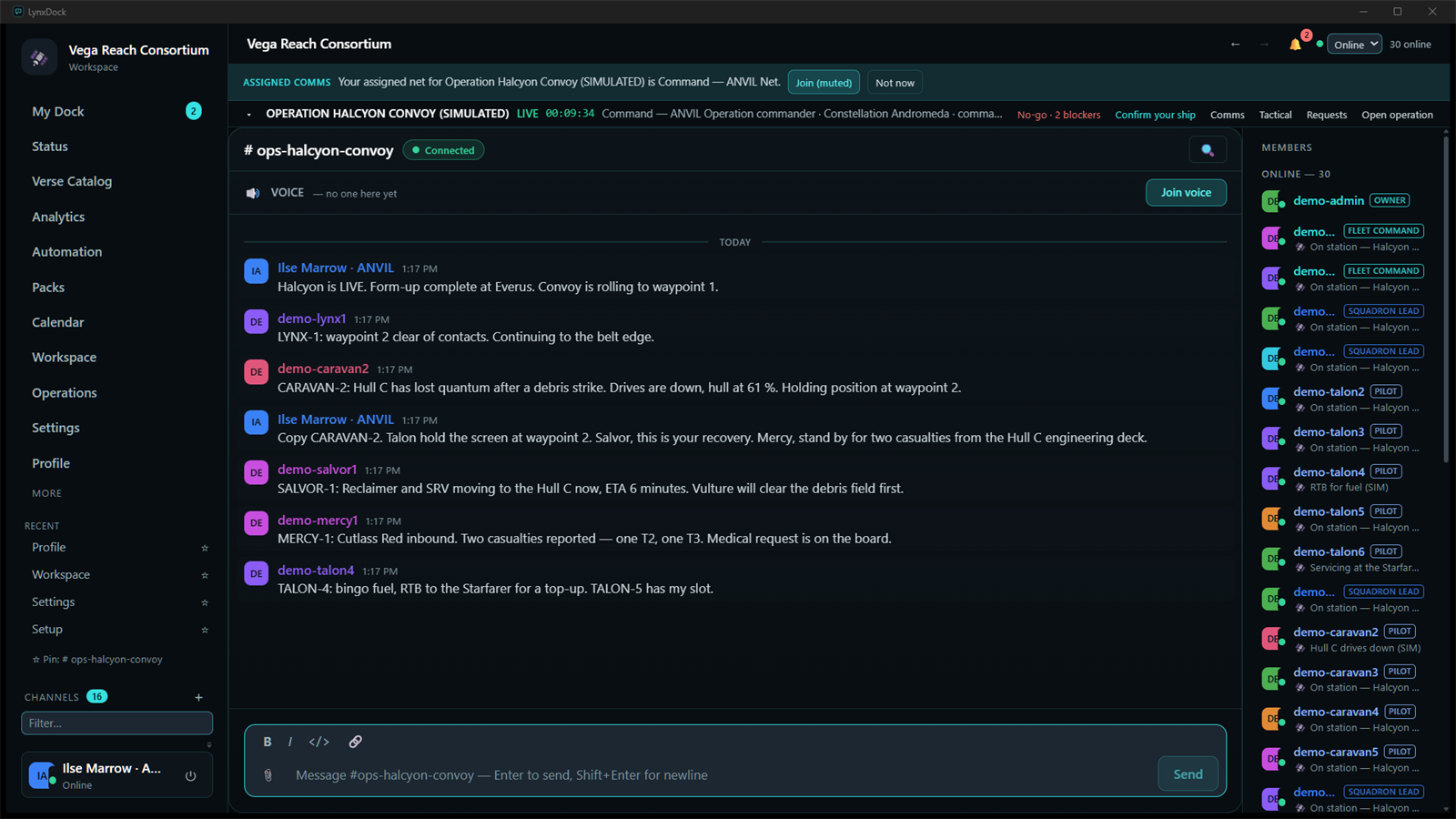 Demonstration data · earlier interface
Operations
A shared tactical picture
- Units, wings, objectives, routes, waypoints and zones on one board the whole operation sees.
- Phases, orders and alerts, with readiness that members report themselves.
- Logistics in context: stock by location, reservations and transfers, and requests for refuel, repair, medical, recovery and escort support.
- Board snapshots and replay keep the plan available for review.
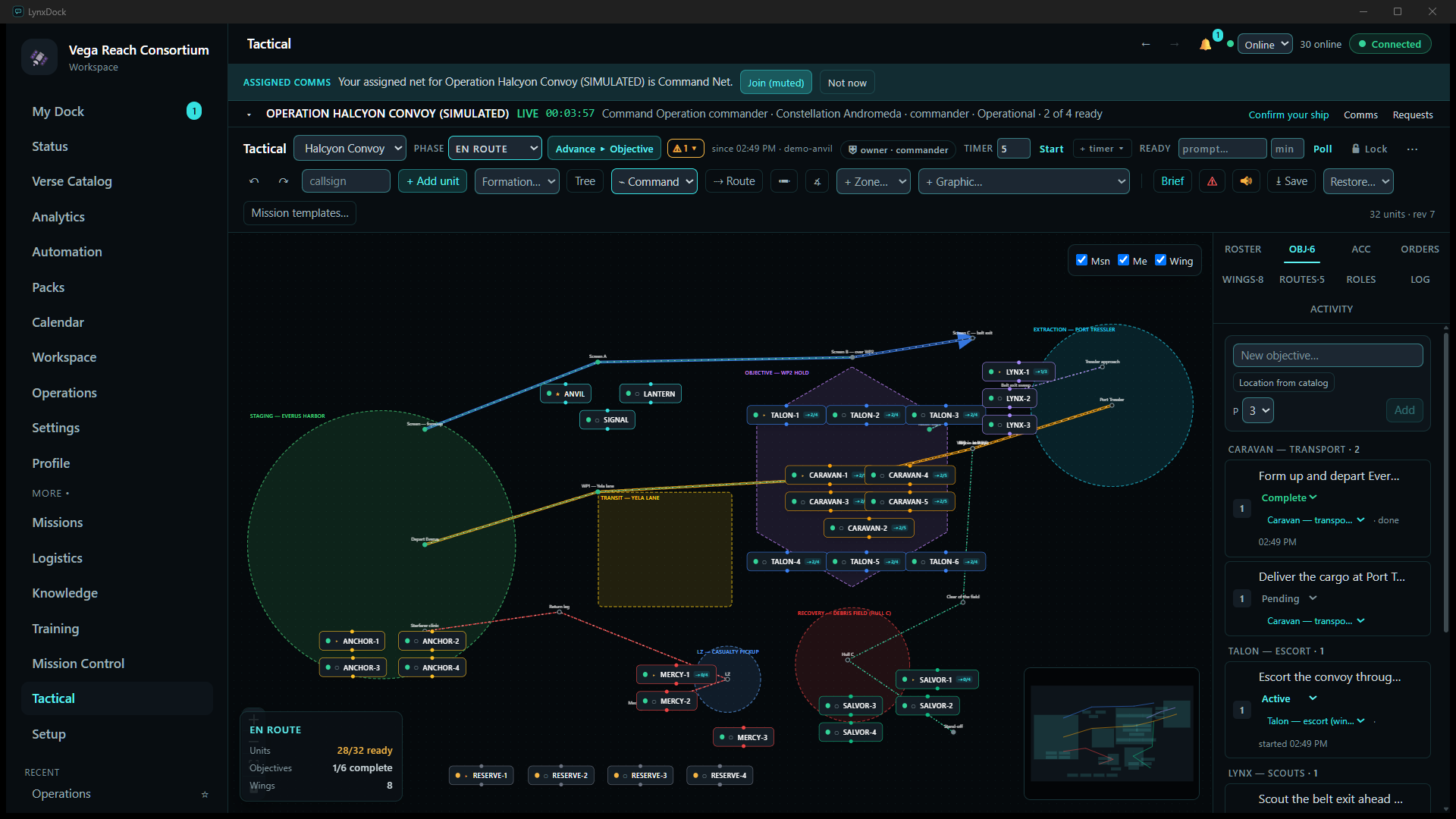 Demonstration data · earlier interface
My Dock
Each member's own view
- The member's active operation, assignment and comms in one place.
- What needs their action now, such as confirming a ship or acknowledging an order.
- What puts the operation at risk: open requests, unacknowledged orders and logistics shortages.
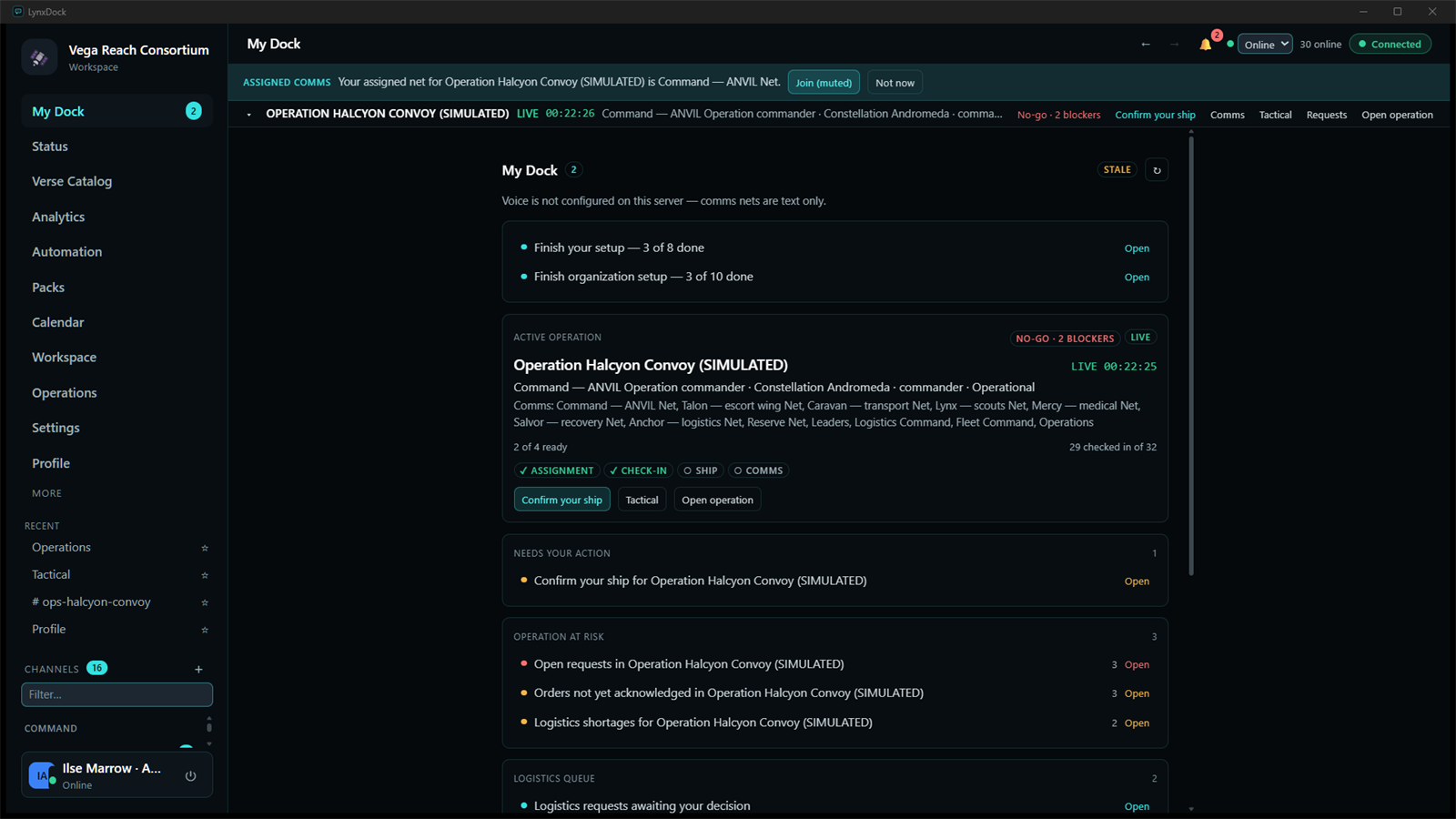 Demonstration data · earlier interface
Readiness
Know who and what is ready
- Members check in and report their operational state, location and resources.
- A preflight check lists blockers, warnings and suggestions before an operation goes live, and says which sources it used.
- Readiness is what members report. LynxDock does not read it from the game.
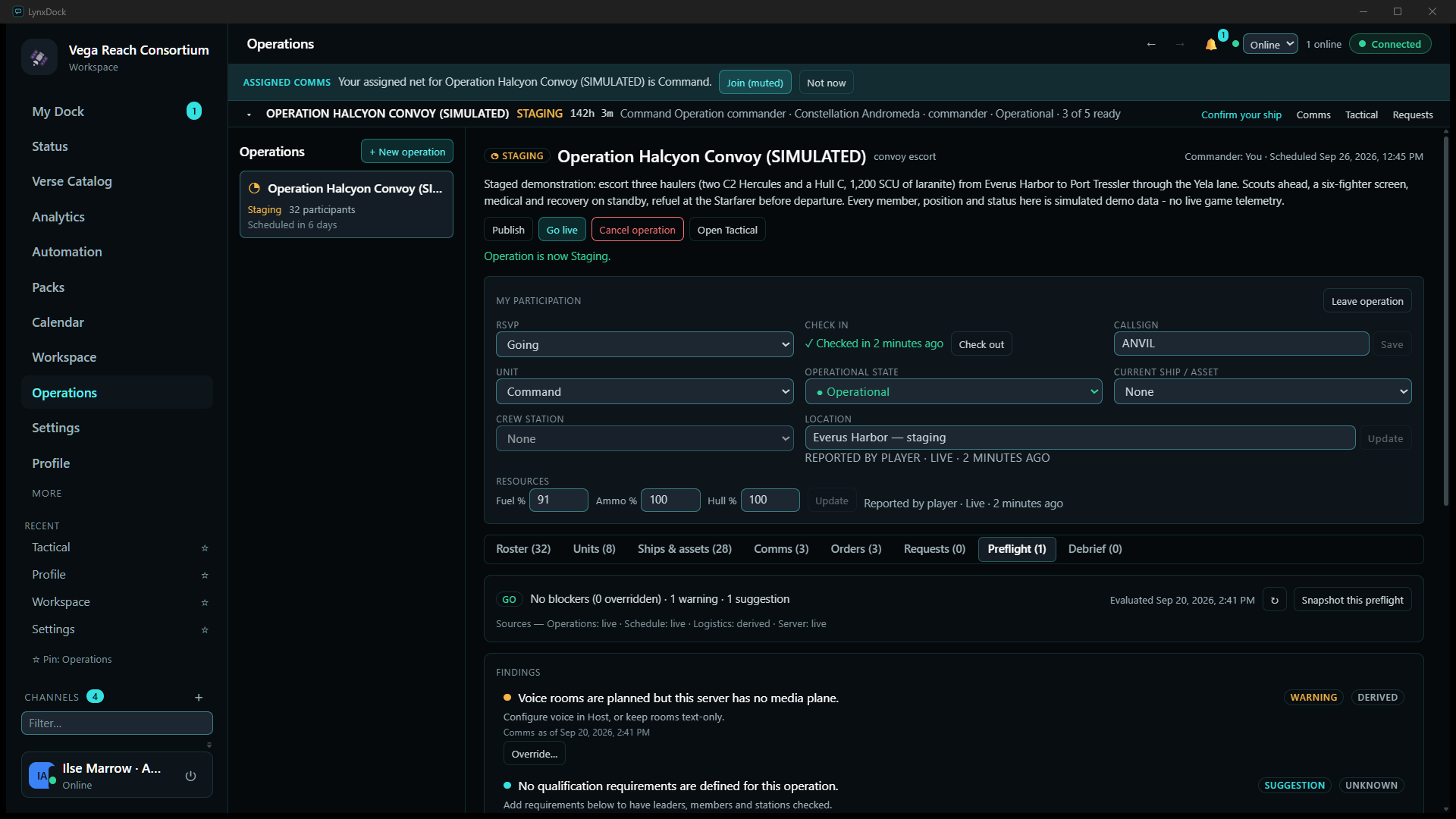 Demonstration data · earlier interface
In-game companion
The overlay: your operation, without leaving the game.
A small click-through window shows the operation, open requests and numbered quick actions while you play. It is a separate window: nothing is injected into the game and no game memory is read.
- Supported setups: games running windowed or borderless. Windows draws nothing above a game in exclusive fullscreen, so there the overlay stays hidden.
- A companion interface: it shows what members and leaders enter in LynxDock. It does not read game telemetry.
- Not blanket compatibility: whether it suits a given game and display mode depends on the build and the setup.

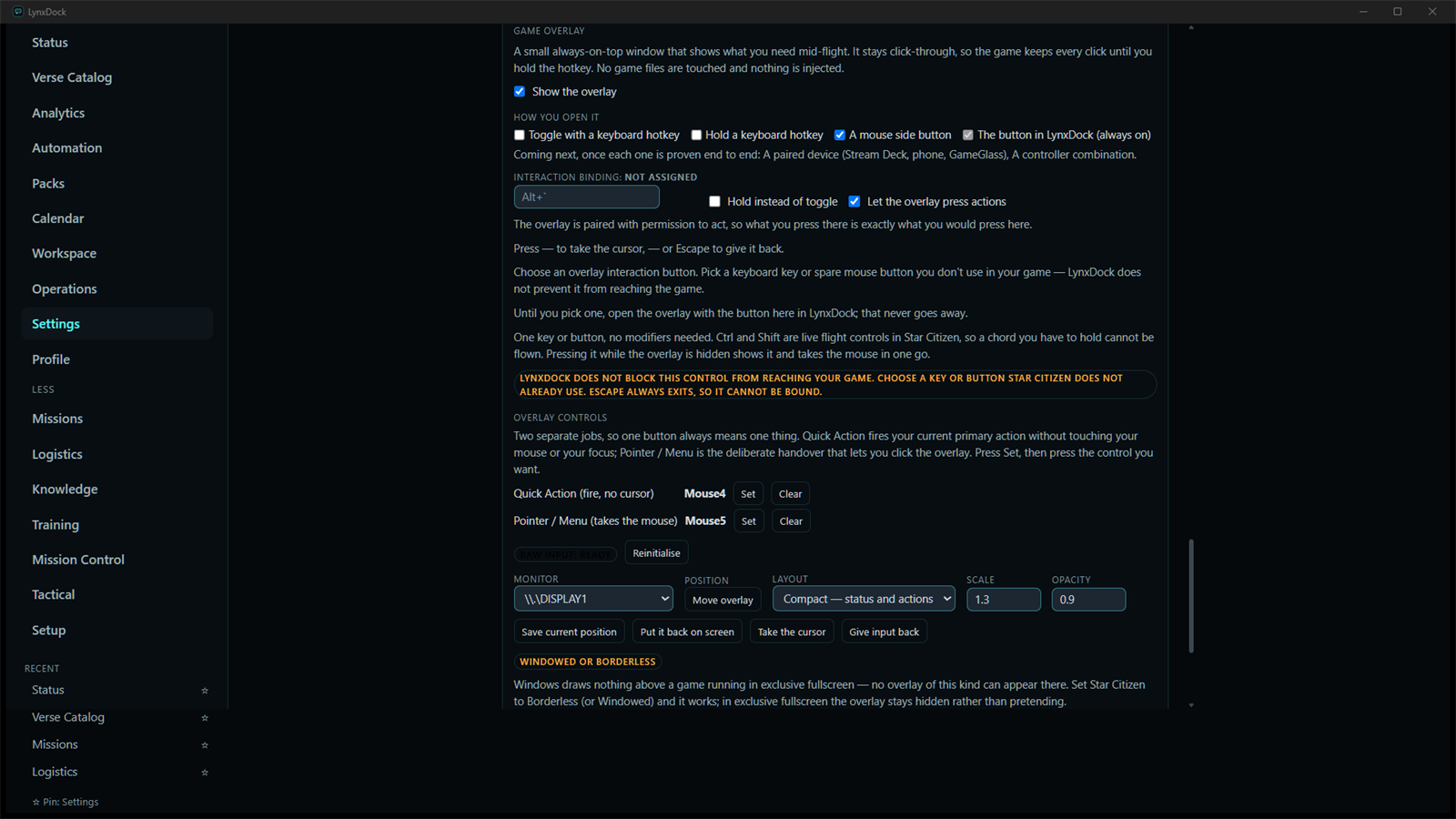 Earlier interface
Questions people ask
Who owns the server and the data?
Your community does. The application server and its records run on infrastructure you control, along with the voice and screen-sharing services. LynxDock Host helps the administrator set it up and look after it; running it, backing it up and keeping it updated stay the administrator’s job. More about Host.
Which games does LynxDock work with?
Star Citizen organisations are the current product context: fleet and convoy planning, ship and crew commitments, logistics and recovery. LynxDock has no game connectors: players enter what is happening, and nothing is read from the game. Arma, Squad and Discord connectors are proposals, not shipped integrations.
How do I join the beta?
The beta is closed and by invitation. Request access on the beta access page. If your community has already invited you, the tester hub has the installers and first steps.
Does push-to-talk work while I'm in a game?
Push-to-talk is foreground-only. The LynxDock window must have focus. Switching away releases a held press. After refocusing, release the key and press it again. Background PTT is separate development work.
This describes how push-to-talk is intended to behave in the current release line.
See LynxDock with your own community in mind.
We'll show you the workspace with demonstration data and talk through what running your own server involves.